adding-custom-fields-media-field
Media Field
Articles in this Series
- Introduction
- Parameters for all Custom Fields
- Calendar Field
- Checkboxes Field
- Color Field
- Editor Field
- Integer Field
- List Field
- List of Images Field
- Media Field
- Radio Field
- Repeatable Field
- Sql Field
- Text Field
- Textarea Field
- Url Field
- User Field
- Usergroup Field
- How can you group custom fields
- What components are supporting custom fields
- Implementation into your component
- Use custom fields in your overrides
Media
Provides modal access to the media manager for insertion of images with upload for users with appropriate permissions.
Options
Special options within this field are:
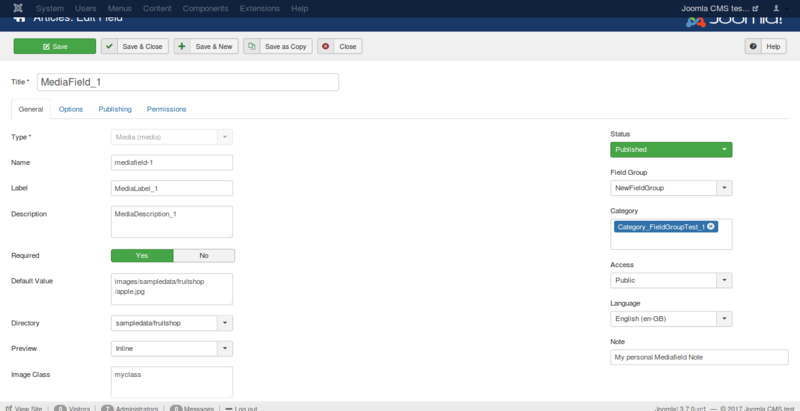
- Directory
The default image directory for this field. The Media field inherently defaults to the main /images folder, so anything entered into the Directory field is assumed to be inside the images folder. So if you wish your default folder to be https://docs.joomla.org/images/myimages you would simply enter myimages into the Directory field. - Preview
Shows or hides the preview of the selected image. - image class
The class which is added to the image.
Related Information
Screenshots
Creating the field
Let's say you create a field with the options shown in the next figure.
Using the field in the backend
In the backend while creating an article or a contact you see the field like in the following imageː

And if you click on it, a modal window will open and you can select an
image in here. 
Using the field in the frontend
In the frontend, you can see the field as you see in the following
image. The option Automatic display is responsible for the position of
the field and your template is responsible for the design of the
field.
Fields are only displayed in the frontend if you have filled them with
data in the article. If it is not a required field, can you forget it?
 Prev: List of Images FieldNext: Radio Field